TouchStream · YouTube-first live streaming
One touch and you’re live.
One small box by your camera, and a hub on your own computer. It goes live on YouTube, keeps copies in more than one place, and makes your edits and Shorts. No monthly fees.
01 / 04
Plug it in.
HDMI from your camera or video mixer, Ethernet, and power. The spoke sits beside the camera, a touchscreen on top.
02 / 04
One touch.
Tap Go live on its screen, or let the schedule do it. It’s live on YouTube in seconds, and shows how many are watching.
03 / 04
Never lose a broadcast.
It’s recorded on the spoke and on the hub while it’s live on YouTube. If the internet drops, the recording doesn’t.
04 / 04
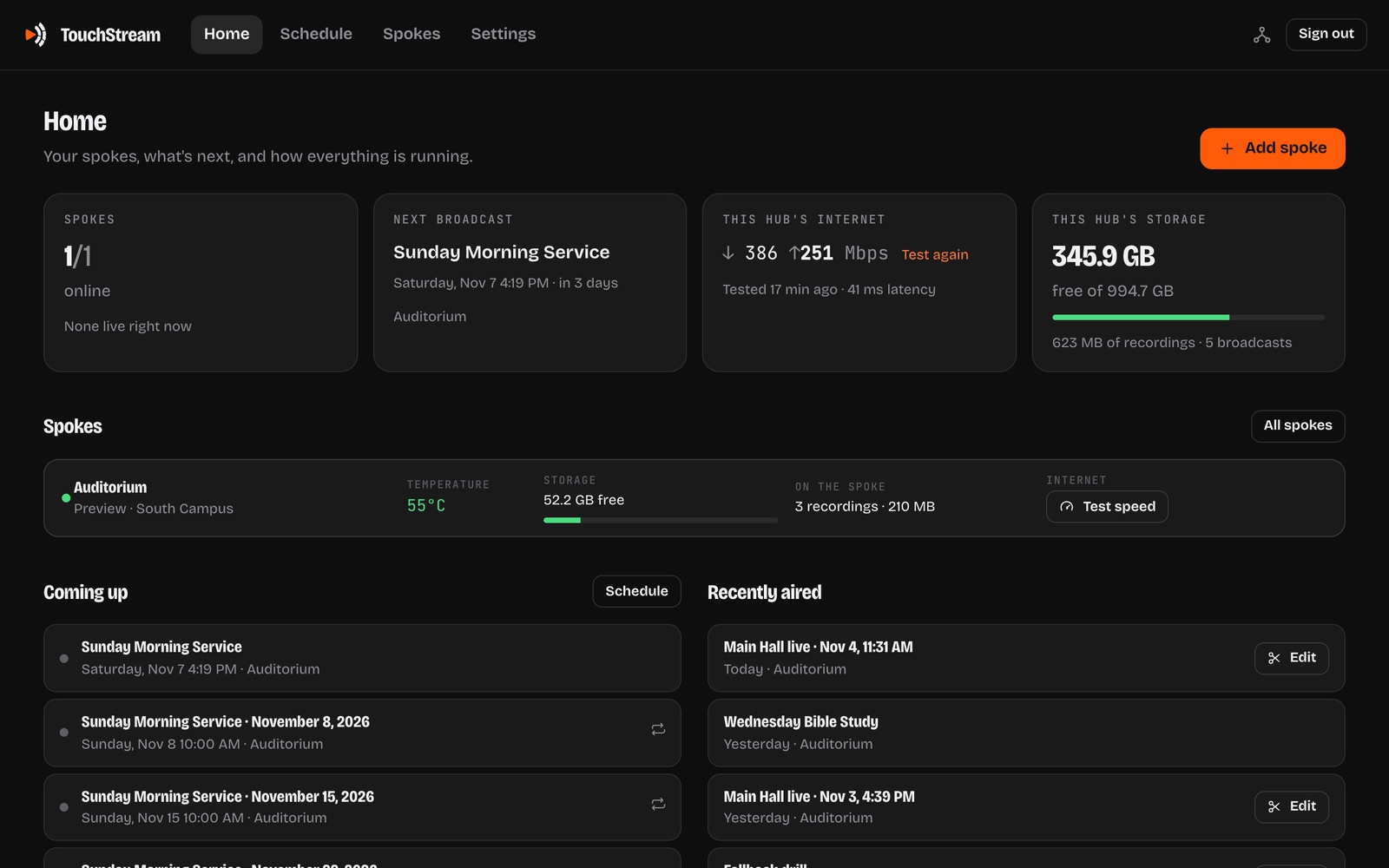
The hub does the rest.
On a computer you already have: the schedule, every recording, edits, Shorts and views, for every room.
Then it runs itself.
Schedules, edits, clips and Shorts, without a crew. There’s more: every feature.
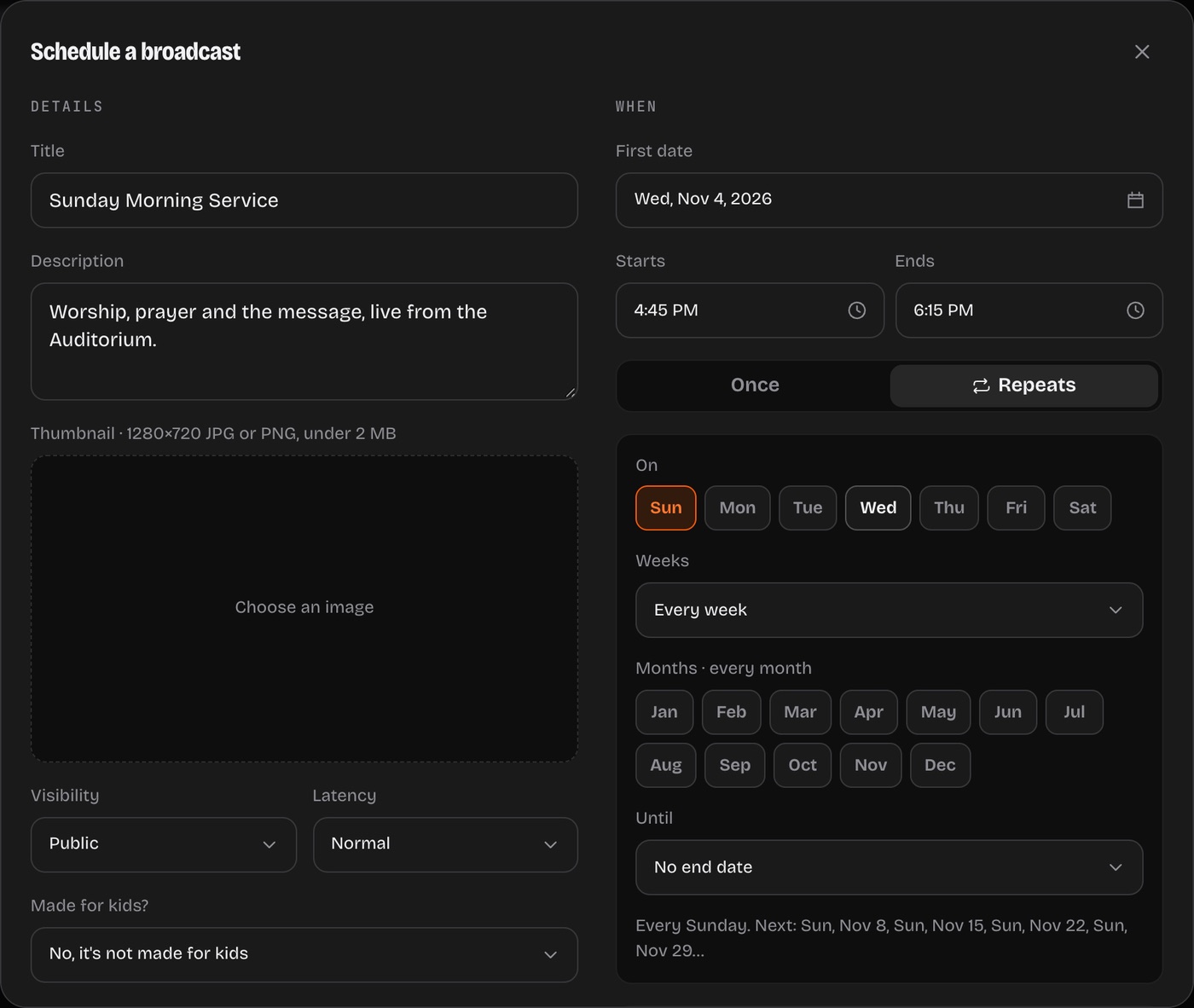
Automated scheduling
Set it once. Sunday runs itself.
Pick the room, the time and how it repeats: every Sunday at 10, or the 1st and 3rd Wednesday. Each date gets its own broadcast on YouTube, and goes live and ends on time, with no one at the controls.
Edited by itself, your way
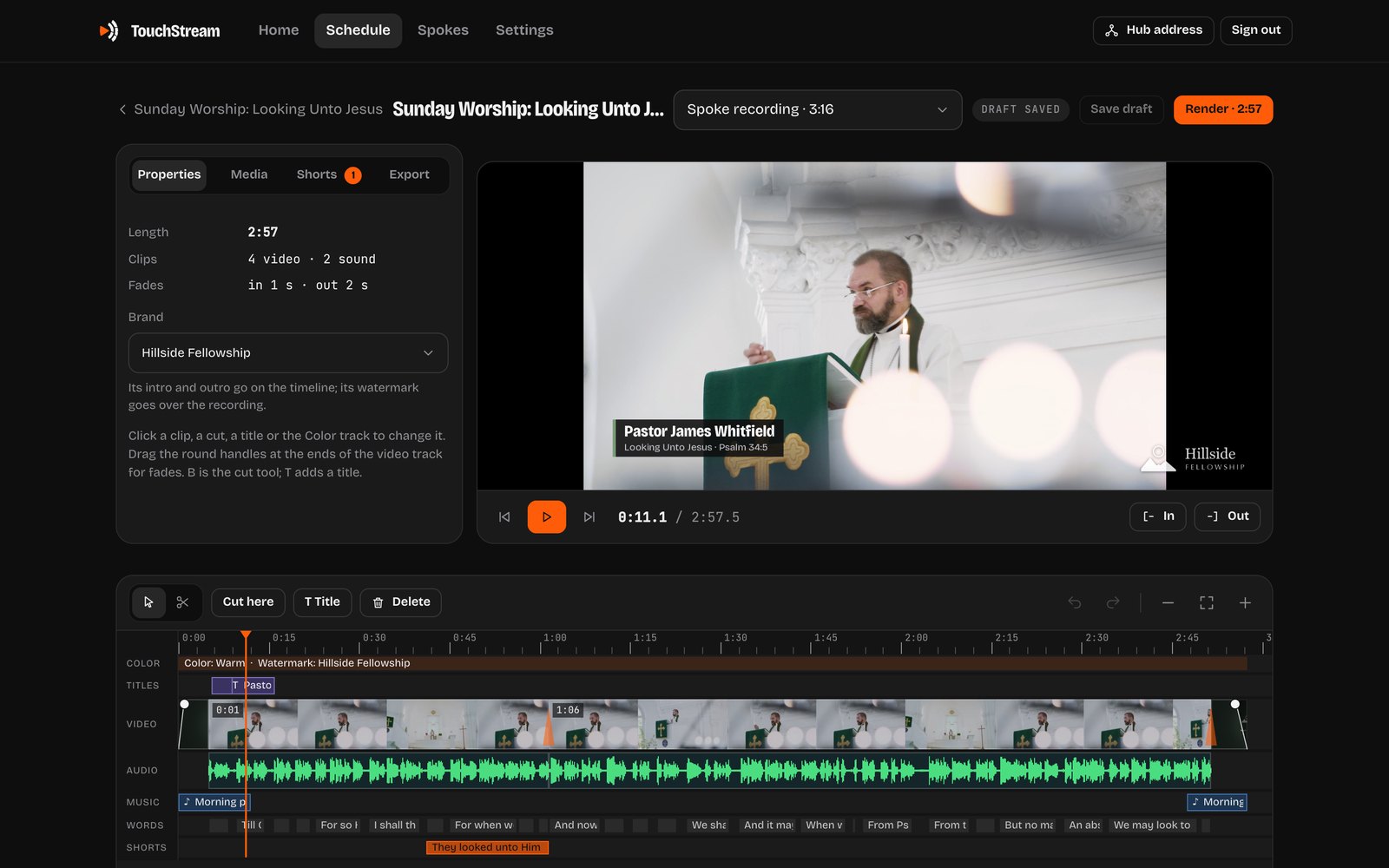
Just the message. Your brand on.
Tell it what your church keeps: just the sermon, the songs out, your intro, outro and logo on. After each service the hub makes the edit, then waits for you or uploads it to your channel and hides the raw livestream. Change anything and it learns how you like it.
Clips on your phone
Scan the spoke. Take a clip.
Every recording on the spoke has a QR code on its screen. Scan it with your phone to watch it, trim a clip and download it, straight from the box over your network. No app and no account.
Sanctuary · spoke
Sunday Service
Trim
Shorts made by the hub
The best moments, made into Shorts.
After each broadcast the hub transcribes it, picks its best moments and makes vertical Shorts that keep the speaker in frame, with captions a word at a time. They wait for you to look over and publish.
Waiting is how we grow.
Ready to publishEvery feature
And a lot more.
- Repeating schedules
- Live and ended on time
- Copies in three places
- Edited by itself, your way
- It learns from your edits
- An editor with titles and music
- Your brand on every video
- Shorts made for you
- Just the audio, as an MP3
- Transcripts and captions
- See who watched
- Clips on your phone by QR code
- An assistant
- AI agents and an API
- Streams straight from the box if the hub is off
- Updates itself
- No monthly fees
YouTube first · on your own gear
No monthly fees.
TouchStream isn’t a hosted service you rent. It runs in your building, on your computer, and streams to your YouTube channel, which carries it to everyone watching.
No subscription
TouchStream is free software. You buy a spoke once for each room, and that’s the whole bill.
Your equipment, your files
The hub runs on your own computer. Every recording, edit and transcript is a file you keep.
YouTube does the rest
YouTube carries your stream to everyone watching, for free. TouchStream is made for it first.
Keeps itself up to date
The hub updates itself when nothing is live or due, then updates each spoke, which only takes updates signed by us.
Your YouTube channel
What it does with your channel.
When you connect a channel, TouchStream asks Google for permission to manage your YouTube account, so it can run your broadcasts for you. Your hub talks to YouTube directly: your sign-in, recordings and data stay on your own computer and never reach Cinderwire. Disconnect it in the hub’s Settings, or at myaccount.google.com/permissions.
TouchStream uses YouTube API Services. Privacy policy · Terms · How it connects
Creates your broadcasts
The title, description, time, visibility and thumbnail you set in the dashboard (or your brand’s thumbnail), on the channels you pick.
Goes live and ends on time
It makes a stream for each spoke, sends the spoke its address, and checks each broadcast it made so it starts and stops on schedule.
Publishes when you say
Edited videos and Shorts upload only when you choose Publish, and it can make the original live video private if you ask.
Shows how they did
It reads your channel’s name and picture, and the views, likes and comment counts of the videos it made. Not your other videos or your comments.
Get TouchStream
Do it yourself, or let us.
Install it yourself
The installer sets up the hub on your computer, then pairs your spokes: one from us is found on your network, and for a PicoKVM of your own it writes the card. No terminal needed. Free, always.
The first time you open it, your computer may say it can’t check the app. On a Mac, open System Settings, then Privacy & Security, and choose Open Anyway. On Windows, choose More info, then Run anyway.
Buy a spoke
$120
One per room, ready to go: TouchStream installed and tested, with a 32 GB microSD card in it for recordings. Plug in HDMI, Ethernet and power, and the installer finds it and names it. Shipping in the US included.
Or make your own: a Luckfox PicoKVM (the full version, with the screen) from Amazon or Waveshare, and a 32 GB or larger microSD card; the installer sets it up.
Setup help
$100
Bought a PicoKVM somewhere else and stuck? We set it up with you on a call: the hub on your computer, the card, pairing it and your YouTube channel.
After paying, you tell us when works. Need more, like an on-site install for several rooms? Ask us.
Support plan
$50a month, for your church or site
Help to keep TouchStream working, from the people who make it. For spokes bought from us, or set up by us: add it when you buy, or later from your order’s page.
- Help by email, phone or a remote session
- Troubleshooting and fixes for the hub and every spoke
- Help with YouTube, scheduling and the dashboard
- Month to month: cancel anytime
Setup help
Want a hand going live?
For more than one box: an install in person, several rooms, or training for your volunteers. Tell us about your rooms, and we’ll get back to you with what it takes.
FAQ
Questions, answered.
No. TouchStream isn’t a hosted service: the software is free, it runs on your own computer, and YouTube streams to your viewers for free. You buy a spoke once for each room. If you’d like us on call, there’s an optional support plan.
The software is free and open source (MIT License). A spoke for each room is $120 ready to go from us, with its 32 GB microSD card, or a Luckfox PicoKVM and a microSD card you set up yourself (or we set it up with you for $100). The hub runs on a computer you already have. The support plan is optional: $50 a month for your church or site.
Yes: $50 a month for your church or site, covering the hub and every spoke there. We help by email, phone or a remote session to troubleshoot and fix it, and with YouTube and scheduling. It’s month to month: cancel anytime. It’s for spokes bought from us, or set up by us.
No. TouchStream runs on your own computer and box. Your hub talks to YouTube directly, and your recordings, transcripts and YouTube sign-in stay on it. Cinderwire runs no TouchStream servers and never sees your data.
Nothing is lost: the spoke keeps recording to its own card, and the hub fills in its copy afterwards. If the hub is off, the spoke goes live straight to YouTube on its own, on schedule.
More questions answered on every feature and the technical docs
TouchStream is made by Cinderwire and released under the MIT License.
TouchStreamEvery featureTechnical docsPrivacy policyTerms GitHub