 Vompt · Free on iPhone and iPad
Your voice runs the prompter.
A teleprompter that follows your voice as you read, and tells you how the take went: your pace, every um, and what you skipped. On the device, no account, nothing recorded.
Free · No ads · No account · Data not collected
01 / 05
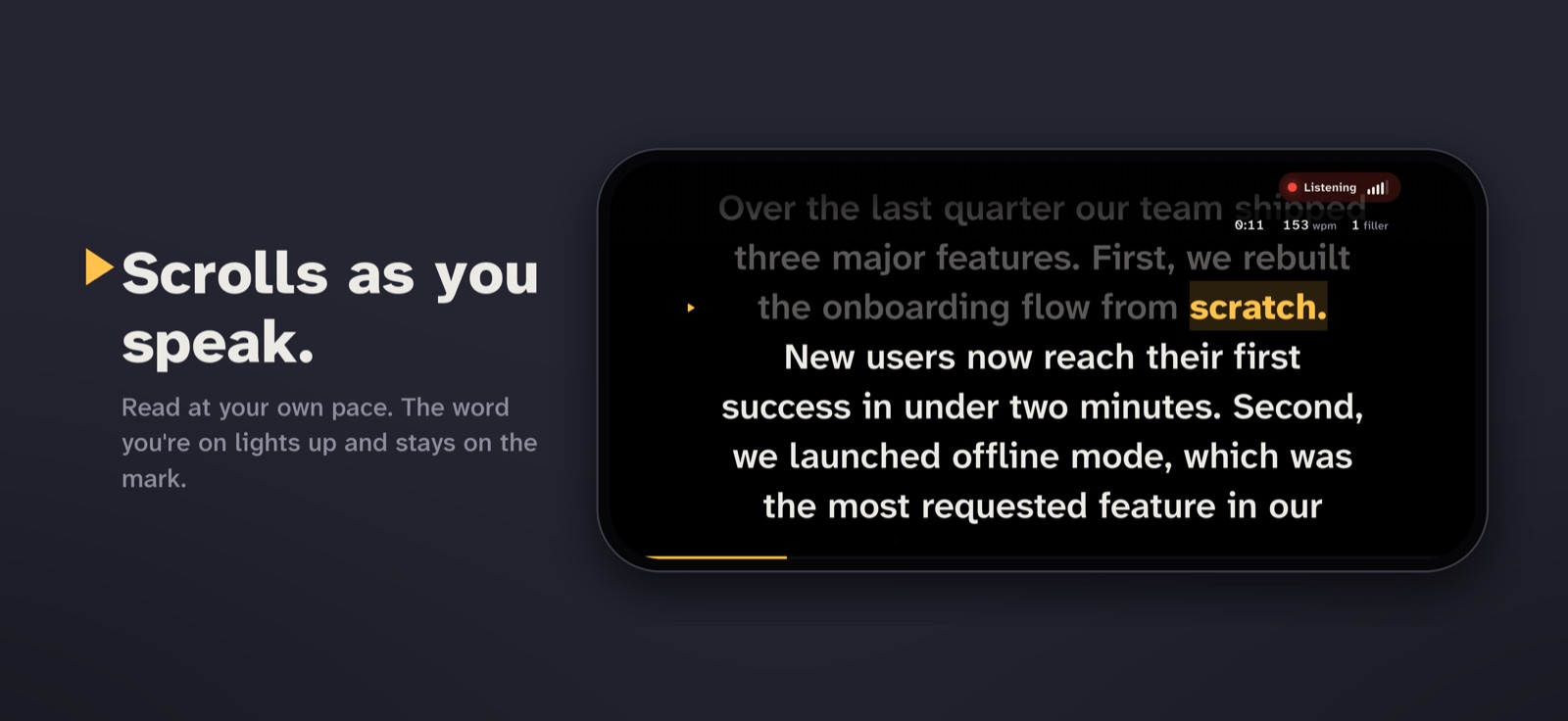
Read at your own pace.
No scroll speed to set and no one running it. The word you’re on lights up, and the line you’re reading stays on the mark.
02 / 05
Skip a line? It catches up.
Jump ahead, go back or ad-lib. After a few words the highlight is back with you.
03 / 05
Then see how the take went.
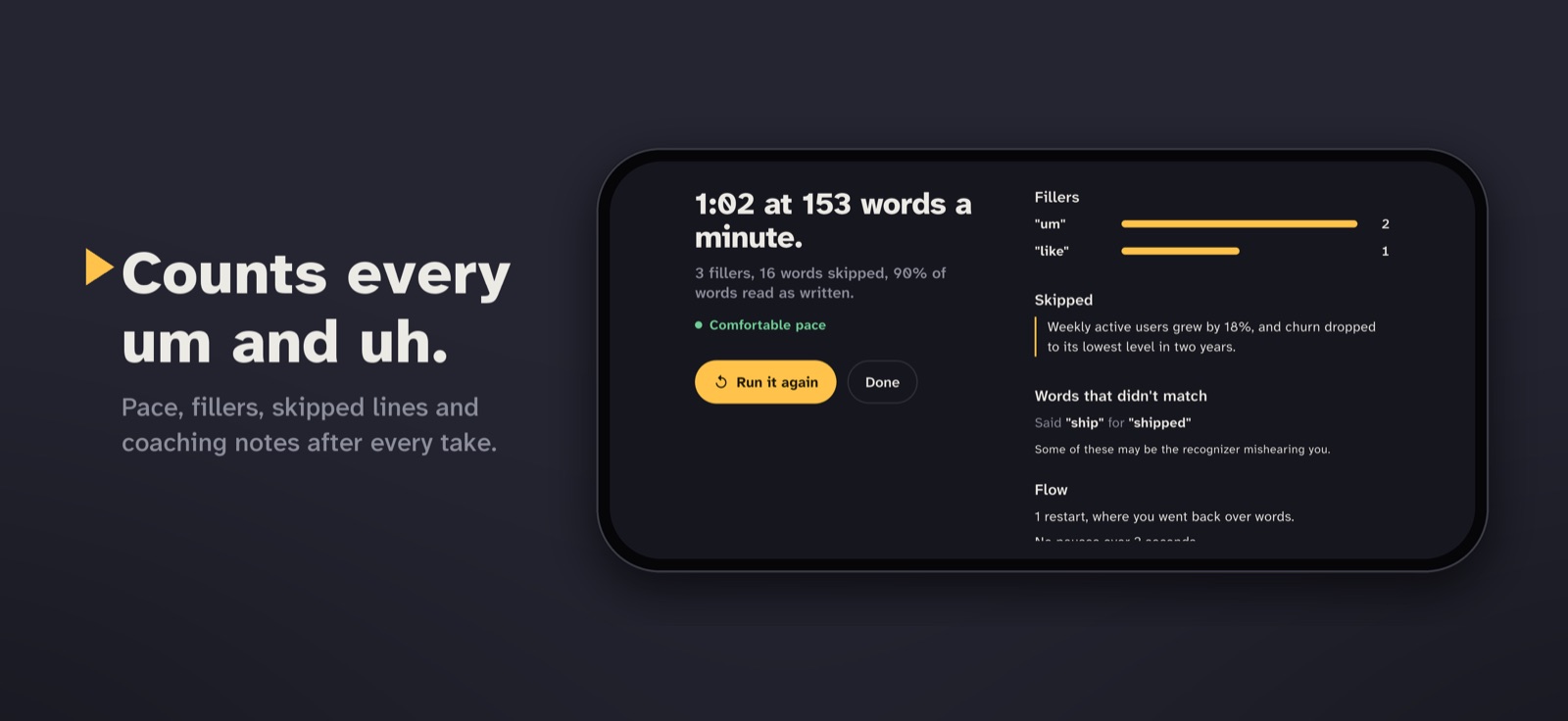
Your pace against a comfortable 130 to 165 words a minute, every um and like counted, and what you skipped.
04 / 05
Watch the ums drop.
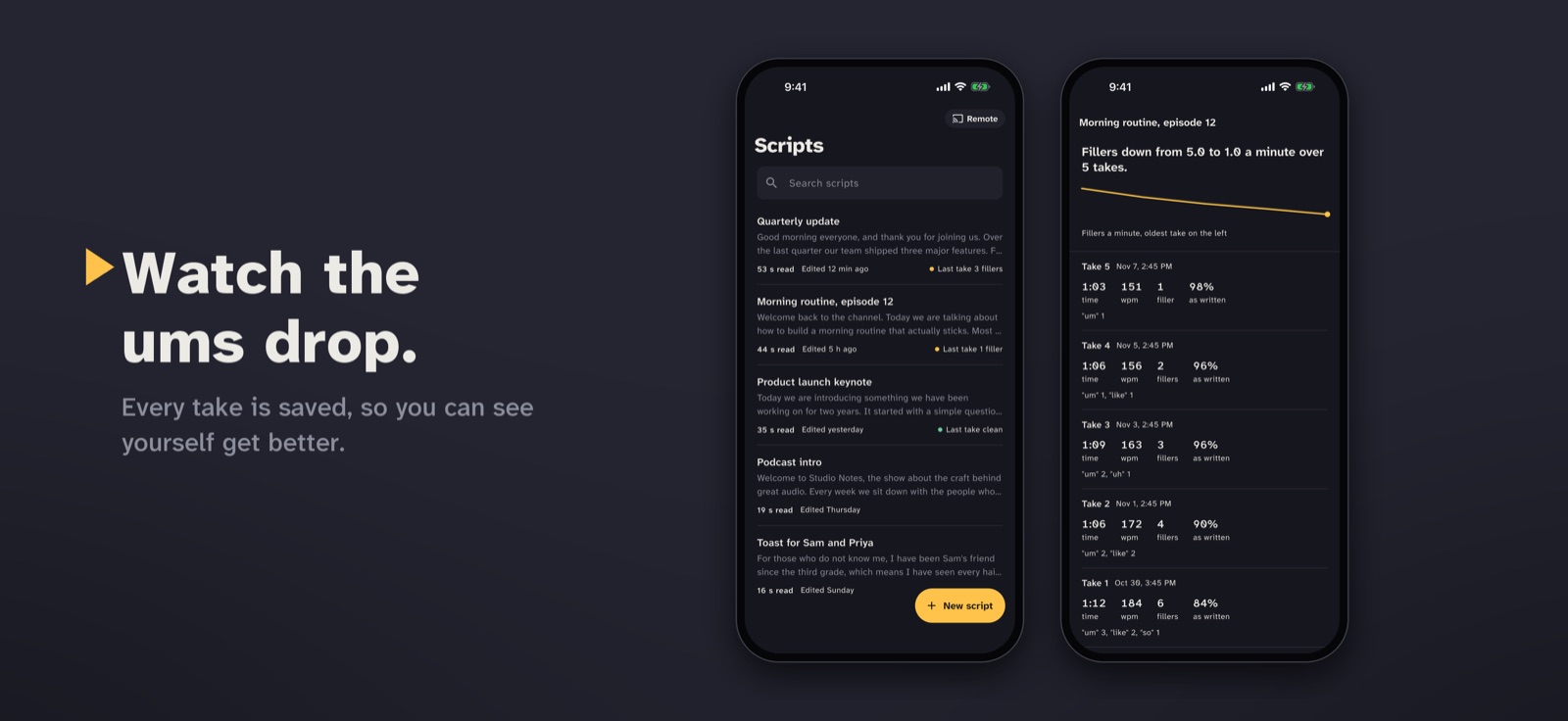
Every take is saved with its script, so you can see yourself get better.
05 / 05
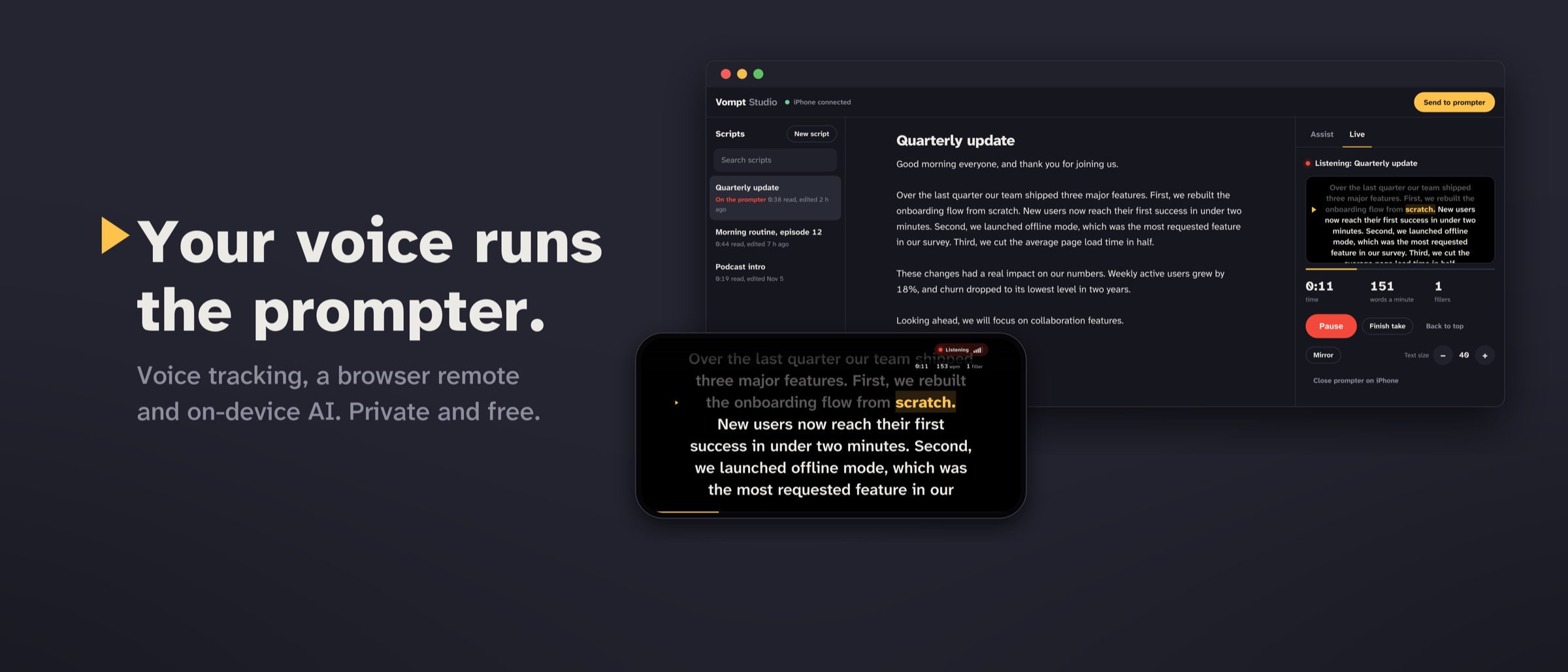
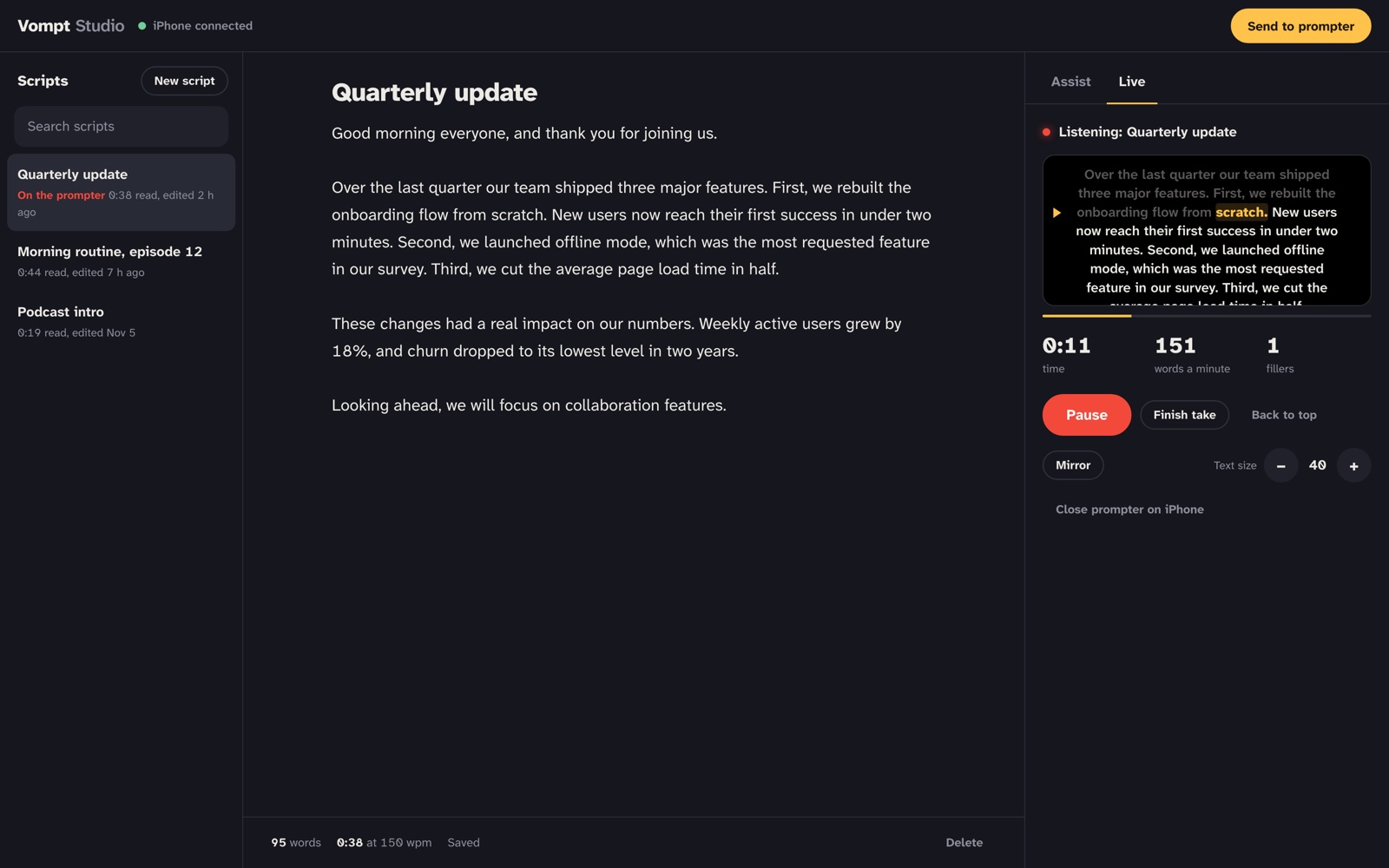
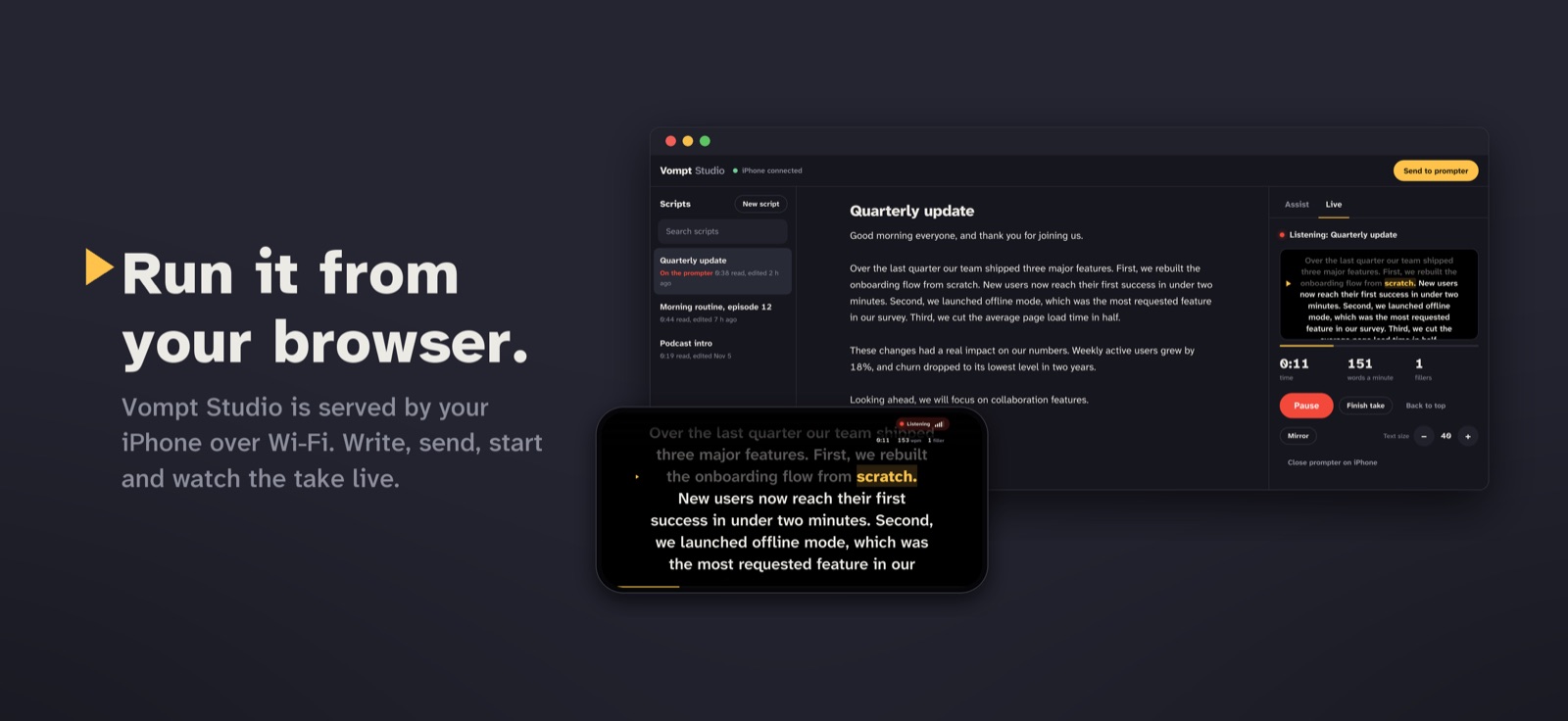
Run it from your browser.
Vompt Studio is served by your iPhone over Wi-Fi: write with a real keyboard, send it to the prompter, watch the take live.
Good morning everyone, and thank you for joining us.
Over the last quarter our team shipped three major features.
First, we rebuilt the onboarding flow from scratch.
New users now reach their first success in under two minutes.
Second, we launched offline mode, the most requested feature in our survey.
Third, we cut the average page load time in half.
0:42 at 153 words a minute.
3 fillers, 1 sentence skipped, 95% of words read as written.
● Comfortable paceFillers
Skipped
“New users now reach their first success in under two minutes.”
Fillers down from 5.8 to 1.8 a minute
Morning routine, episode 12 · five takes
Everything it does.
Free on iPhone and iPad, and every part of it runs on the device.
Scrolls with your voice
Read at your own pace. The word you’re on lights up and the current line stays on the reading mark. Skip a line, go back or ad-lib, and it catches up after a few words.
Counts every um
“Um”, “uh”, “like”, “you know”: after every take you see how many, which ones, and how your pace compares to a comfortable 130 to 165 words a minute.
Shows what you missed
Sentences you skipped, quoted so you can find them, words that didn’t match the script, restarts and long pauses.
Tracks your progress
Every take is saved with its script, with a trend line for fillers a minute. Watch the ums drop.
Rewrites on the device
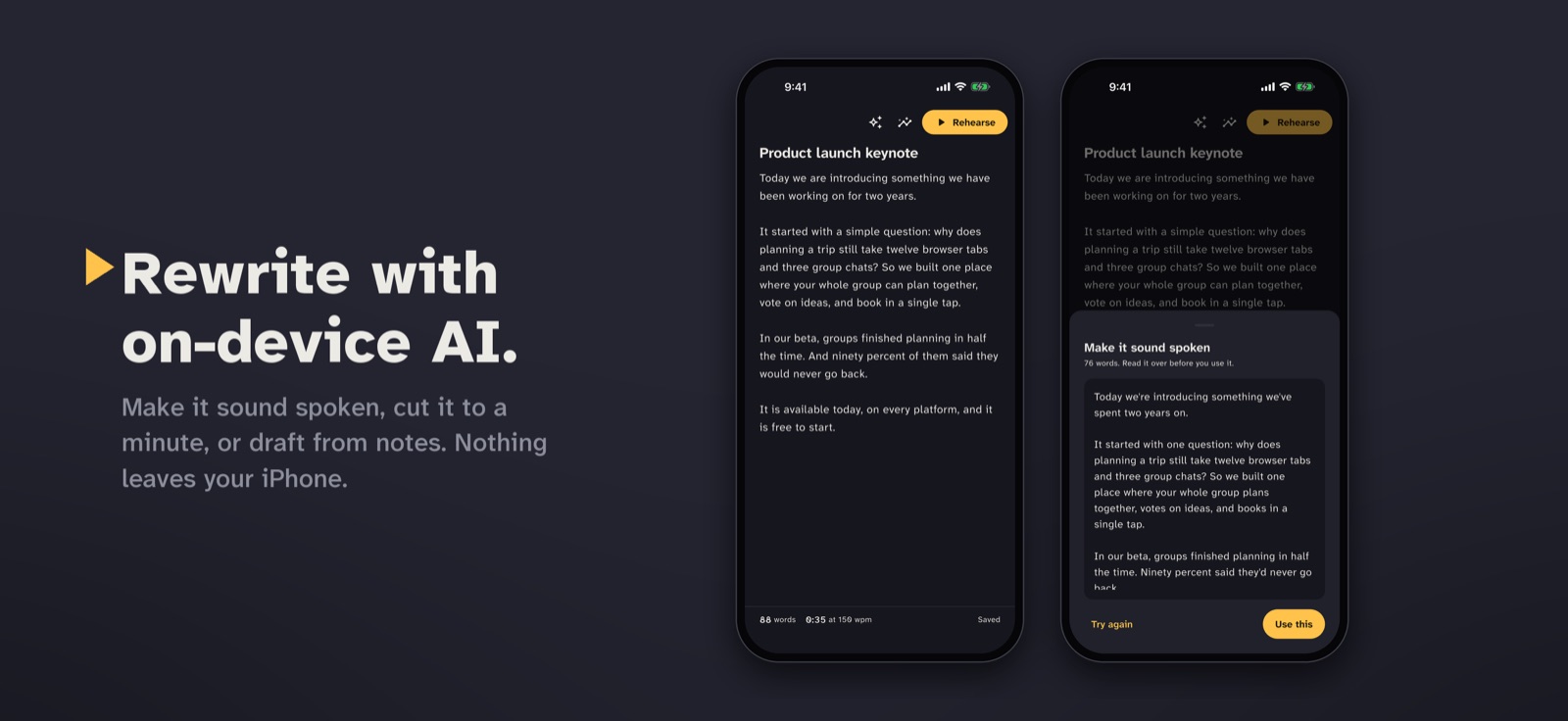
Apple Intelligence makes a script sound spoken, tightens it, fits it to a minute, fixes grammar, suggests openings, or drafts one from your bullet points.
Runs from your computer
Vompt Studio is a web page served by your iPhone over Wi-Fi: write with a real keyboard, send a script to the prompter, and start, pause and watch the take live.
Built for real setups
Mirror mode for beam-splitter glass, adjustable text size, AirPods and wired mics, long-press any word to continue from there, and the screen stays awake.
As it looks on the App Store.
Private by design
It listens. It doesn’t keep.
Apple’s on-device speech recognition follows your voice. Nothing is recorded or uploaded, and there’s no one to sign up with.
Nothing recorded
Speech is recognized on the device and used only during the take. Audio is never saved or sent anywhere.
No account, no tracking
No sign-up, no analytics, no ads. The App Store label reads “Data Not Collected”.
Your scripts stay on your phone
Scripts and practice history live in the app. Studio works only on your Wi-Fi, with a private link that changes every time.
FAQ
Questions about Vompt.
Yes. Vompt is free on the App Store, with no ads, no subscription and no in-app purchases. Its source code is public on GitHub.
iPhone and iPad with iOS 16 or later. Counting “um” and “uh” and the fastest tracking need iOS 26 or later. Assist and coaching notes need a device with Apple Intelligence.
No. Vompt listens to follow your place and count fillers, using Apple’s on-device speech recognition. Nothing is recorded, saved or uploaded, and there’s no account.
Yes. Mirror mode flips the text for beam-splitter glass, and you can change the text size and run the prompter from a computer with Vompt Studio.
Your iPhone serves Studio itself on your Wi-Fi. Open the link it shows on a laptop or tablet on the same network; the link carries a private key that changes each time.
It catches up. Vompt weighs skipping ahead, going back, misreads and ad-libs as you speak, so after a few words the highlight is back where you are.

Free. Read your next take.

Vompt is made by Cinderwire. Its source code is public.